Template:Map/doc: Difference between revisions
imported>Margotbean No edit summary |
imported>Margotbean No edit summary |
||
| (2 intermediate revisions by the same user not shown) | |||
| Line 2: | Line 2: | ||
This template is used to insert a player icon over a map of the game. It's used to generate dynamic location markers over the game map image for the site. | This template is used to insert a player icon over a map of the game. It's used to generate dynamic location markers over the game map image for the site. | ||
== | ==Use== | ||
This template can be used by entering the following onto a relevant page. The x-and y-coordinates give the placement of the player's head on the map. | This template can be used by entering the following onto a relevant page. The x-and y-coordinates give the placement of the player's head on the map. | ||
| Line 17: | Line 17: | ||
|loc4x = x-coordinate of 4th location for player head (optional) | |loc4x = x-coordinate of 4th location for player head (optional) | ||
|loc4y = y-coordinate of 4th location for player head (optional) | |loc4y = y-coordinate of 4th location for player head (optional) | ||
|island = (Optional, true to show map with Ginger Island) | |||
}}</pre> | }}</pre> | ||
| Line 27: | Line 28: | ||
{{map|100|10|200}} | {{map|100|10|200}} | ||
==Map with 3 locations== | ===Map with 3 locations=== | ||
<pre>{{Map|200|150|loc2x=276|loc2y=54|loc3x=96|loc3y=130}}</pre>Result: | <pre>{{Map|200|150|loc2x=276|loc2y=54|loc3x=96|loc3y=130}}</pre>Result: | ||
{{Map|200|150|loc2x=276|loc2y=54|loc3x=96|loc3y=130}} | {{Map|200|150|loc2x=276|loc2y=54|loc3x=96|loc3y=130}} | ||
<includeonly>[[Category: | ===Map with Island Shown=== | ||
<pre>{{Map|360|214|island=true}}</pre> | |||
{{Map|360|214|island=true}} | |||
<includeonly>{{Addlanglinks}}[[Category:Templates]]</includeonly><noinclude>[[Category:Template documentation]]</noinclude> | |||
Latest revision as of 21:36, 8 January 2023
Description
This template is used to insert a player icon over a map of the game. It's used to generate dynamic location markers over the game map image for the site.
Use
This template can be used by entering the following onto a relevant page. The x-and y-coordinates give the placement of the player's head on the map.
The first x- and y-coordinates are unnamed, and must appear 1st and 2nd in the template. If width is specified, it must be the 3rd parameter specified.
{{map
|x-coordinate (left-inset)
|y-coordinate (top-inset)
|width (optional, defaults to 400)
|loc2x = x-coordinate of 2nd location for player head (optional)
|loc2y = y-coordinate of 2nd location for player head (optional)
|loc3x = x-coordinate of 3rd location for player head (optional)
|loc3y = y-coordinate of 3rd location for player head (optional)
|loc4x = x-coordinate of 4th location for player head (optional)
|loc4y = y-coordinate of 4th location for player head (optional)
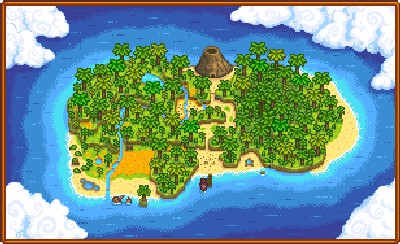
|island = (Optional, true to show map with Ginger Island)
}}
Example
Example formatting would be
{{map|100|100}}Result:

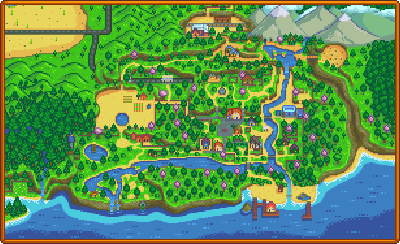
For a smaller map use
{{map|100|10|200}}Result:
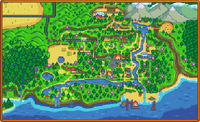
Map with 3 locations
{{Map|200|150|loc2x=276|loc2y=54|loc3x=96|loc3y=130}}Result:
Map with Island Shown
{{Map|360|214|island=true}}