
File:Choose batch extension.png: Difference between revisions
imported>Garthand Shows how to save a batch script with a custom location and extension in Notepad on Windows. |
Maintenance script uploaded File:Choose batch extension.png Tag: Server-side upload |
||
| Line 1: | Line 1: | ||
Shows how to save a batch script with a custom location and extension in Notepad on Windows. | Shows how to save a batch script with a custom location and extension in Notepad on Windows. | ||
{{License Microsoft screenshot}} | |||
[[Category:Modding images]] | |||


Latest revision as of 08:51, 23 December 2020
Shows how to save a batch script with a custom location and extension in Notepad on Windows.
Licensing

|
This screenshot of a Microsoft product does not fall under the Stardew Valley Wiki's Terms of Service or license, but it used on this wiki for non-commercial and educational purposes in accordance with fair use law.
If this screenshot has not been altered beyond resizing it, permission may be granted per the Use of Microsoft Copyrighted Content conditions. |
File history
Click on a date/time to view the file as it appeared at that time.
| Date/Time | Thumbnail | Dimensions | User | Comment | |
|---|---|---|---|---|---|
| current | 08:51, 23 December 2020 | 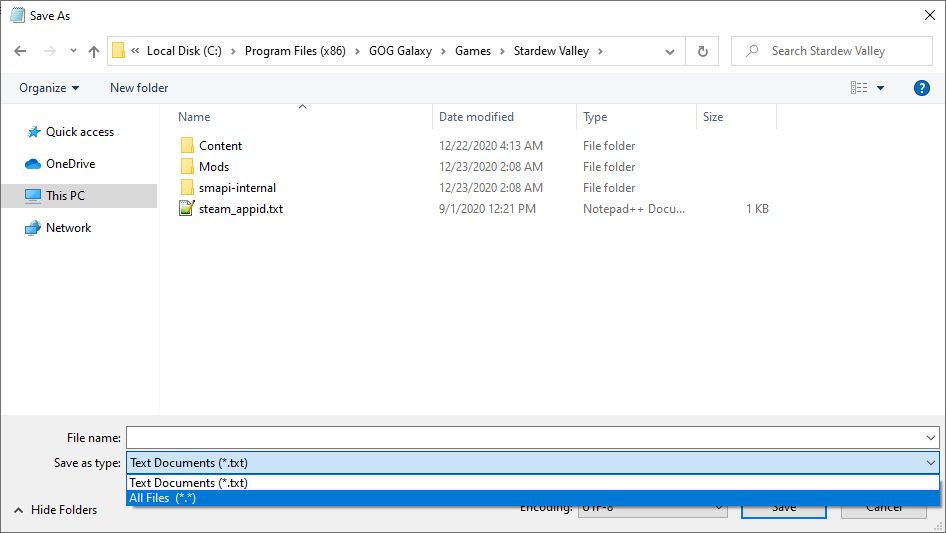 | 946 × 533 (20 KB) | Maintenance script (talk | contribs) | == Summary == Imported from stardewvalleywiki.com dump (2026-10-27) |
You cannot overwrite this file.
File usage
The following page uses this file:
