Template:Map: Difference between revisions
imported>Katzeus mNo edit summary |
imported>Katzeus mNo edit summary |
||
| Line 10: | Line 10: | ||
</pre> | </pre> | ||
== Example == | == Example == | ||
Example formatting would be < | Example formatting would be <pre>{{map|100|100}}</pre>Result: | ||
{{map|100|100}} | {{map|100|100}} | ||
For a smaller map use < | For a smaller map use <pre>{{map|100|10|200}}</pre>Result: | ||
{{map|100| | {{map|100|10|200}} | ||
[[Category:Template]]</noinclude> | [[Category:Template]]</noinclude> | ||
<includeonly><div id="mapcontainer"><div id="maplocation" style="left:{{#if:{{{1|}}}|{{{1|}}}|0}}px;top:{{#if:{{{2|}}}|{{{2|}}}|0}}px;">[[File:Maplocation.png|20px|link=]]</div>[[File:Map.png|{{#if:{{{3|}}}|{{{3|}}}|400}}px|link=]]</div></includeonly> | <includeonly><div id="mapcontainer"><div id="maplocation" style="left:{{#if:{{{1|}}}|{{{1|}}}|0}}px;top:{{#if:{{{2|}}}|{{{2|}}}|0}}px;">[[File:Maplocation.png|20px|link=]]</div>[[File:Map.png|{{#if:{{{3|}}}|{{{3|}}}|400}}px|link=]]</div></includeonly> | ||
Revision as of 05:53, 27 February 2016
This template places a player icon over a map of the game. It's used to generate dynamic location markers over the game map image for the site.
Use
{{map
|x-coordinate (left-inset)
|y-coordinate (top-inset)
|width (optional, defaults to 400)
}}
Example
Example formatting would be
{{map|100|100}}Result:

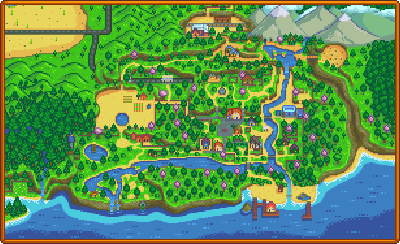
For a smaller map use
{{map|100|10|200}}Result: