Revision as of 16:40, 3 December 2021 by imported>Pathoschild(rework "Launch SMAPI through Steam or GOG Galaxy" into a more general "Configure your game client", so we can add GamePass soon (and possibly future sections like WeGame))
Extract the .zip file somewhere (but not in your game folder, any subfolder of your game folder, or in a folder with parentheses in the path!) (Your downloads folder is a fine choice).
Double-click install on Windows.bat¹, and follow the on-screen instructions.
¹ To install manually instead, see instructions in the installer's readme.
Option B: use ModDrop
ModDrop isn't updated for Stardew Valley 1.5.5 yet.
Option C: use Vortex
Vortex isn't updated for Stardew Valley 1.5.5 yet.
Configure your game client
Steam
You need to launch SMAPI through Steam if you want the Steam overlay, achievements, and playtime tracking to work. (If you don't care about achievements or tracking game time, you can just launch StardewModdingAPI.exe in your game folder to play with mods.)
Here's how to configure it:
Keep SMAPI's installer window open. (If you already closed it, just run it again. No need to uninstall first.)
Copy the text in the installer window that looks like this (see how to copy text): Make sure you copy the entire line, including both quotation marks " and the %command% part. Your final path should look something like this: "Your path here" %command%
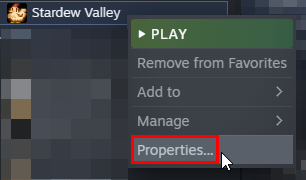
In the Steam client, right-click on Stardew Valley and choose Properties:
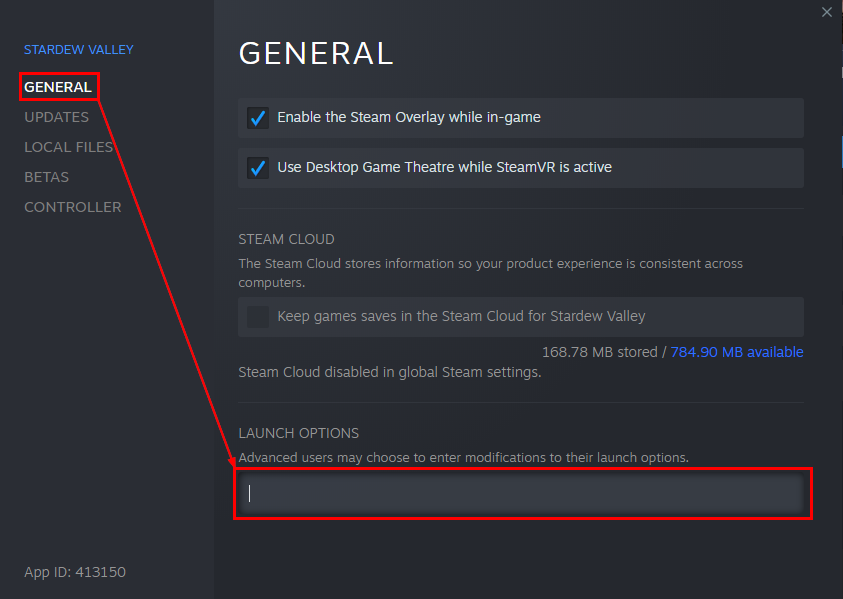
Click the textbox under Launch Options:
Replace anything in the textbox with the text you copied from the installer. To paste text, click in the box and press CTRL and V.
This text should consist of "Your SMAPI API Filepath" %command% Default for most users is "C:\Program Files (x86)\Steam\steamapps\common\Stardew Valley\StardewModdingAPI.exe" %command%
From now on, just launch the game through Steam to run SMAPI with the Steam overlay and achievements.
GOG Galaxy
You need to launch SMAPI through GOG Galaxy if you want its playtime tracking to work. (If you don't care about tracking game time, you can just launch StardewModdingAPI.exe in your game folder to play with mods.)
Here's how to configure it:
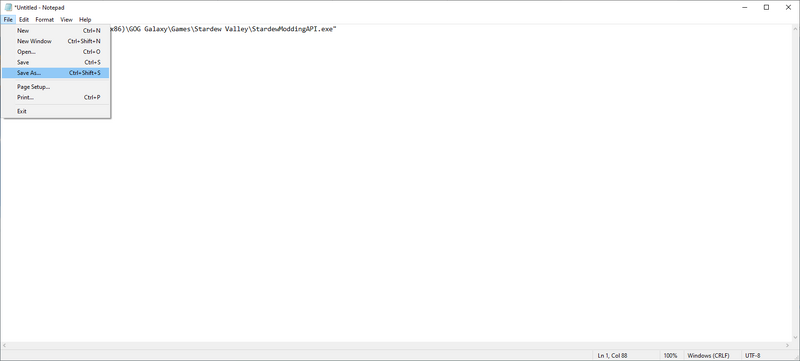
Open Notepad and paste in the following: start "" "C:\Program Files (x86)\GOG Galaxy\Games\Stardew Valley\StardewModdingAPI.exe" If Stardew Valley and SMAPI are not installed at C:\Program Files (x86)\GOG Galaxy\Games\Stardew Valley\, (the default location for most people), replace that location with the location of where you installed Stardew Valley.
Click on File, then Save As...
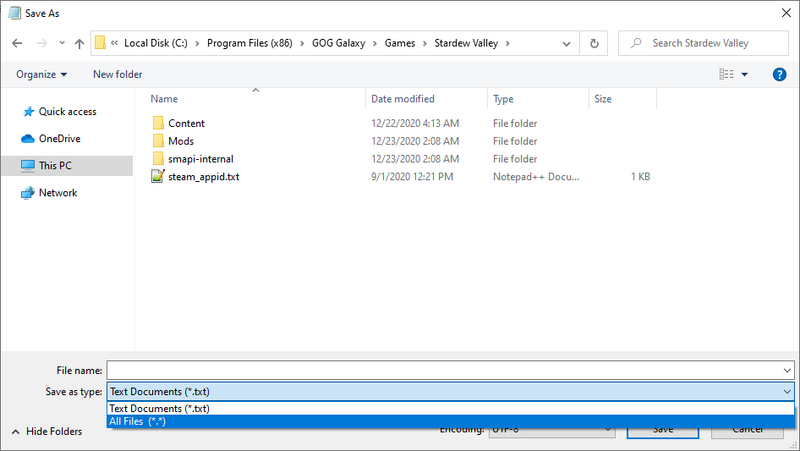
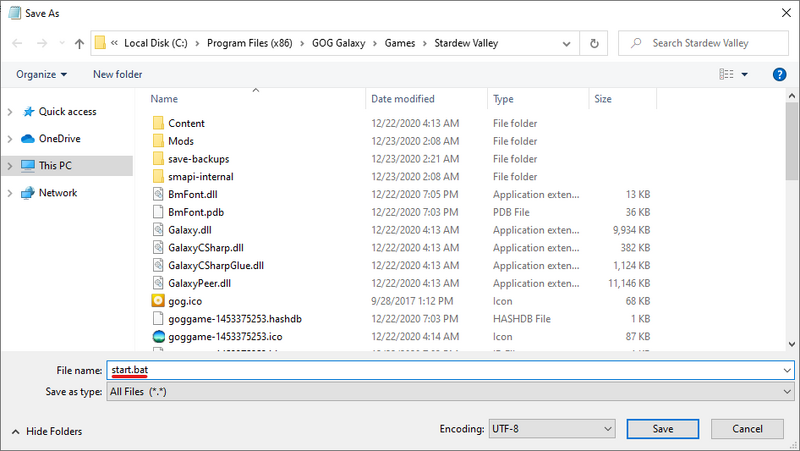
Navigate to your Stardew Valley installation folder and change the file type from Text Documents to All Files as shown below and then click Save.
Then type start.bat for the file name as shown below
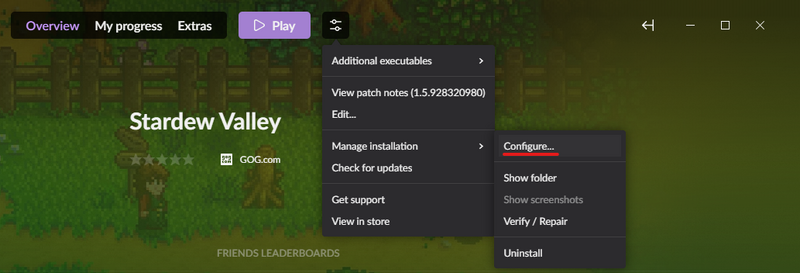
In the GOG Galaxy client, click on Stardew Valle' and then the settings icon on the right-hand side of the 'Play' button, then hover over 'Manage installation' and click 'Configure...' as shown below.
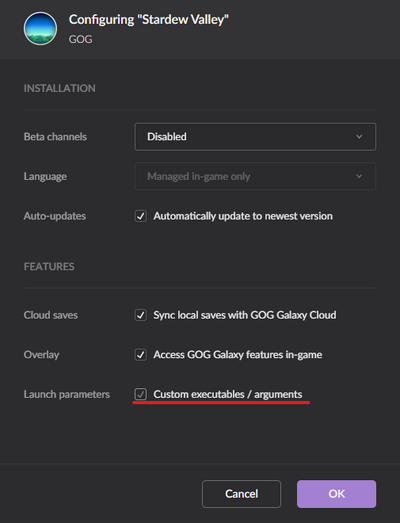
A new menu will appear. Check the "Custom executables / arguments" box.
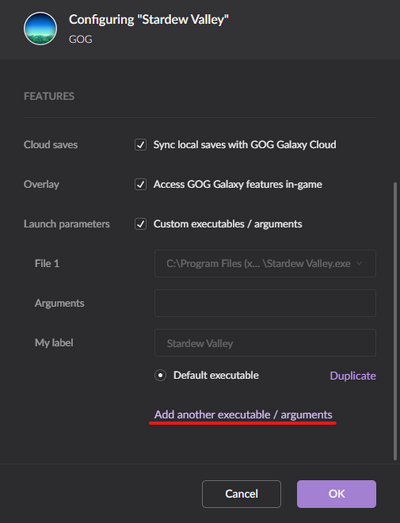
Then click 'Add another executable / arguments'
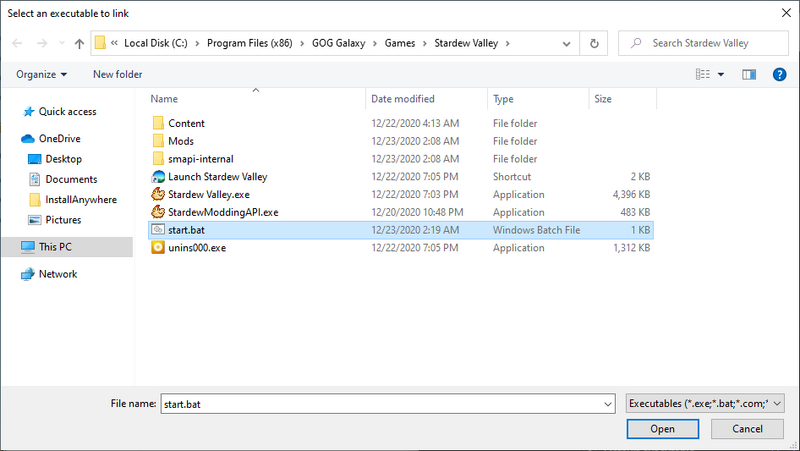
Select start.bat in the window that appears and then click Open.
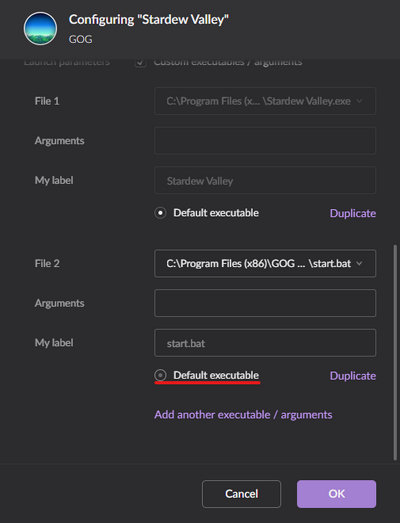
Finally, click the circle next to 'Default Executable' underneath File 2, then click OK.
From now on, you can launch Stardew Valley through GOG Galaxy and both the SMAPI console and game will load as expected!
Update SMAPI
Option A: use SMAPI's installer
Just install the new version; the installer will automatically clean up previous versions. (You don't need to configure Steam again.)
Steam: in the Steam client: right-click on Stardew Valley, choose Properties > General > Set Launch Options, and blank the launch options textbox.
GOG Galaxy: in the GOG Galaxy client: click on Stardew Valley, click the settings icon next to the 'Play' button, click Manage installation > Configure, and clear the Custom executables / arguments checkbox.
(If you want to play without mods temporarily, you can just launch Stardew Valley.exe directly or rename your Mods folder instead.)
Troubleshooting
"Oops, couldn't find the game automatically"
If the installer shows that message, you can help it find the game folder. To do that: